Farming Simulator Beginner’s Guide: Fields, Machinery and Making Money
How Farming Simulator 25 works: choosing a career start, the crop cycle, contracts, selling, animals, production chains and a profitable first year.
Farming Simulator looks simple from the outside: drive a tractor, plant a field, harvest it. Underneath is a full business sim. Every field is an investment, every machine has running costs, and every harvest has to be sold at the right place and the right time. New players often stall in their first in-game year because they buy too much, too early, or plant crops they have no way to harvest.
This guide explains how GIANTS Software’s farming series works, using Farming Simulator 25 as the reference point, and walks you through a sensible first year. If you enjoy the vehicle-sim side of the genre, our Euro Truck Simulator 2 and American Truck Simulator guide covers a similar “work and grow a business” loop on the road.
Farming Simulator 25 at a glance
The Farming Simulator series is developed by GIANTS Software, which has been making it since Farmer-Simulator 2008. Farming Simulator 25 was released on 12 November 2024. According to its Steam page, it features more than 400 vehicles and tools from over 150 real agricultural brands, including names like John Deere, CLAAS, Fendt, Case IH and New Holland, and it expands the crop selection to 25.
The base game ships with three maps representing different farming regions: Riverbend Springs in the United States, Zielonka in Central Europe and Hutan Pantai, an East Asian landscape. FS25 also introduced rice (two types), spinach and water buffalo, along with GPS-assisted steering, weather events such as twisters and hail, and ground deformation from tire tracks.
Choosing how to start: career modes
Career mode offers three starting setups, and picking the right one shapes your whole experience:
| Mode | What you start with | Who it suits |
|---|---|---|
| New Farmer | A ready-made farm with fields and basic equipment, and a simplified economy | First-time players |
| Farm Manager | A larger budget but no land or equipment | Players who know the basics and want to plan their own farm |
| Start from Scratch | Very limited resources, no land and no equipment | Experienced players who want a challenge |
If this is your first Farming Simulator, choose New Farmer and play the tutorial. It teaches driving, attaching tools and working fields. It also introduces three advisors: Ben for crops and machinery, Katie for livestock and Noah for forestry.
Seasonal growth: on or off?
By default, crops follow seasonal growth, so each crop can only be sown and harvested in certain months. That’s realistic, but it can be confusing at first because you can’t plant whatever you want whenever you want. You can switch it off in the game settings while you learn and turn it back on later. If you leave it on, check the in-game crop calendar before buying seed.
The crop cycle, step by step
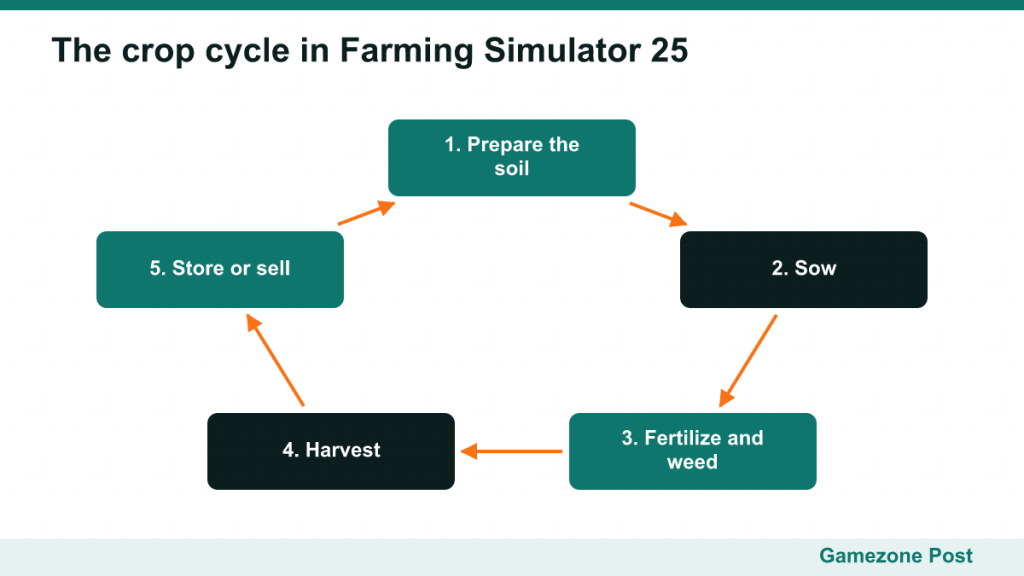
Arable farming is the core of the game. Every field crop goes through roughly the same stages.
1. Prepare the soil
After a harvest, the field is covered in stubble. You work the ground with a cultivator (or a plow for deeper soil work) to prepare it for sowing. Some crops and settings also reward extra steps such as liming or rolling the field.
2. Sow
Fill a seeder or planter with seed, choose the crop and drive across the field. Different crops need different machines. Grain crops use a seeder, while crops like potatoes or sugar beet need specialized planting equipment. Before you sow, make sure you also have a way to harvest that crop.
3. Fertilize and care for the crop
Applying fertilizer, whether solid, liquid or manure and slurry from your animals, increases the yield at harvest. Weeding with a weeder or herbicide sprayer also protects yield. These steps are optional, but skipping them means a smaller harvest from the same field.
4. Harvest
When the crop is ripe, harvest it with a combine fitted with the correct header, or with a specialized harvester for root crops. Keep a trailer nearby so the harvester doesn’t have to stop when its tank fills.
5. Store or sell
You can sell immediately or store the crop in a silo and wait for a better price. Prices vary between selling points and over time, so checking the prices screen before you drive across the map pays off.
Making money: contracts, selling and production
Contracts
Contracts are jobs from other farmers or foresters: harvesting, sowing, cutting or transporting trees and more. They’re the best way to earn early money because they often let you rent the equipment needed for the job, so you can earn without owning the machine. Choosing contracts close together and doing similar jobs in sequence saves time.
Selling crops
Different buyers pay different prices for each product. Your options are:
- Sell straight from the harvester when prices are good.
- Store crops and sell when demand rises.
- Process them into higher-value goods.
Production chains
Production chains, introduced in Farming Simulator 22 and carried into FS25, turn raw materials into products worth more than the ingredients. Processing a crop into oil is a simple example; longer chains turn several inputs into finished goods. You can place production buildings yourself in build mode. Production chains are a good mid-game step once you have reliable crop output.
Forestry
Forestry is a separate income stream: cutting, processing and transporting timber. It needs its own equipment, but forestry contracts let you try it before investing.
Animals
Livestock adds a steady but demanding income. FS25 includes cows, sheep, pigs, chickens, horses, goats and water buffalo, among others. Each species needs the right building, plus food, water and often straw for bedding. In return, they produce products like milk, wool or eggs and can be sold or bred.
Species differ a lot in how much feed and management they need, so read each animal’s requirements in the menu before building. Don’t buy animals until your crop income is stable and you can produce or buy their food reliably. Animals that run out of food stop producing and lose value.
Machinery: buy, lease or contract
The machinery shop is where most beginners overspend. Before buying anything, ask yourself what job the machine does, how often you’ll use it, and whether a contract or rental would do the same job for less.
- Buying makes sense for machines you use constantly, like your main tractor and cultivator.
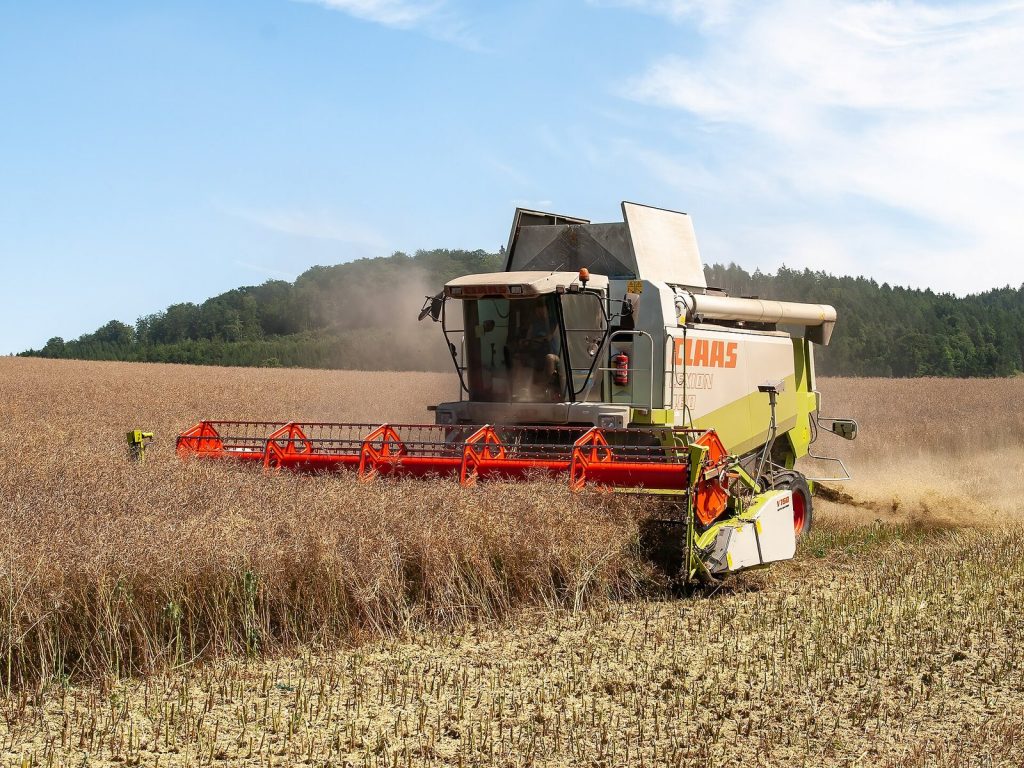
- Leasing suits expensive machines you use only at harvest, such as a combine. You pay for use rather than the full purchase.
- Contracts often provide the equipment, so you can earn and learn without any investment.
Every machine you own also costs upkeep over time, so a yard full of rarely used equipment drains money.
Automation and hired workers
You can hire AI workers to handle field jobs like cultivating, sowing and harvesting, and to drive delivery routes. FS25 adds GPS-assisted steering for straighter, more precise field work. Workers aren’t free, but they let you run several jobs in parallel, which is often worth it once you have several fields.
A plan for a profitable first year
- Start as a New Farmer and finish the tutorial.
- Work your starting fields with the equipment you already own. Grow a crop your machines can harvest.
- Take contracts to earn money between your own field jobs, especially ones that provide rented equipment.
- Hire a worker to run your own fields while you do contracts.
- Sell smart: compare prices and store crops when prices are low.
- Buy land before machines. More fields increase income; new machines mostly increase costs.
- Add fertilizer once you’ve got the basics, since higher yields multiply everything else.
- Expand slowly into production chains or animals once your crop income is steady.
Common beginner mistakes
- Buying the biggest tractor first. A huge tractor with small tools wastes money. Match tractor power to the implements you actually use.
- Planting crops you can’t harvest. Check that you have, or can lease, the right harvester first.
- Ignoring the calendar. With seasonal growth on, sowing outside the window doesn’t work.
- Selling at the nearest point every time. A longer drive to a better buyer is often worth it.
- Buying animals too early. Feeding them takes crop output you may not have yet.
- Taking contracts far away. Travel time eats profit; stay local.
- Forgetting upkeep. Every owned machine costs money even when it’s parked.
Quick answers to common questions
Do I have to do every field job myself?
No. Hired workers can cultivate, sow and harvest, so you can focus on planning, contracts or animals. Many experienced players spend most of their time managing rather than driving.
Which map should I start on?
Riverbend Springs hosts the tutorial, which makes it the natural first choice. Once you understand the basics, the other maps offer different crops, field shapes and layouts.
Is a steering wheel or controller required?
No. The game plays on keyboard and mouse or a gamepad. Wheels and dedicated farming controllers add immersion, but they aren’t needed to learn the game.
Why is my harvest so small?
Usually because the field wasn’t fertilized, weeds weren’t controlled, or the soil wasn’t prepared properly. Each skipped care step lowers the final yield.
Playing the long game
Farming Simulator has no win condition. Once the farm is profitable, goals are yours to choose: owning every field on a map, building a big dairy operation, running a forestry business or chasing a fully automated production empire. Many players also turn to the in-game ModHub, which offers community-made maps, machines and tools, to keep things fresh.
If the business side is what hooks you, you’ll find the same loop of investment, upkeep and growth in many management games. Our explainer on what makes a management or tycoon game traces how the genre’s core ideas connect.